
Practical guide · Updated July 2026
Instagram post sizes and formats
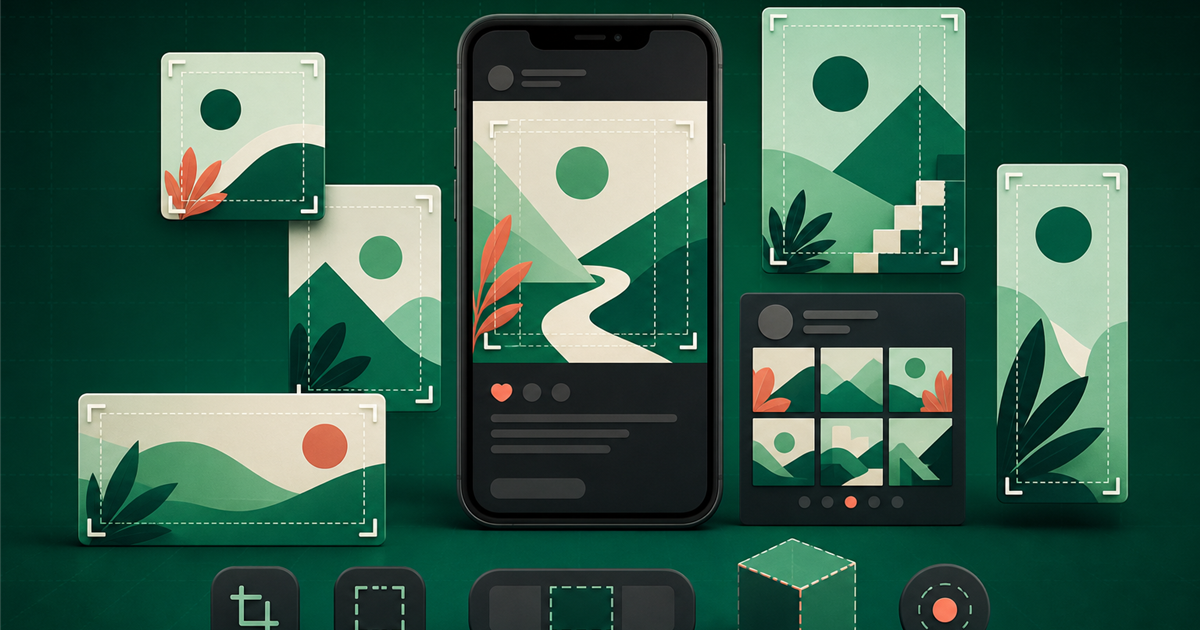
Instagram supports more than one photo shape. The best choice depends on the subject, profile presentation and placement. This guide separates Meta’s published limits from practical canvases, explains the newer 3:4 support and shows how to prepare readable graphics without promising that the interface will never change.
Quick format reference
| Use | Ratio | Practical canvas | When to use it |
|---|---|---|---|
| Square feed photo | 1:1 | 1080 × 1080 | Flexible graphics and centered subjects |
| Portrait feed photo | 4:5 | 1080 × 1350 | Compatible, spacious mobile preset |
| Taller supported photo | 3:4 | 1080 × 1440 | Maximum portrait ratio stated by Meta |
| Landscape feed photo | 1.91:1 | 1080 × 566 | Wide scenes and horizontal layouts |
| Story or Reel | 9:16 | 1080 × 1920 | Full-screen vertical content |
| Reel cover | about 1:1.55 | 420 × 654 recommended by Meta | Cover selection; preview profile crop |
Sizes described as “practical” are working recommendations, not display guarantees. Always inspect the publishing preview.
What Instagram officially supports
Meta says Instagram preserves photo resolution up to 1080 pixels wide when the image has a supported aspect ratio between 1.91:1 and 3:4. At 1080 pixels wide, that means a height between roughly 566 and 1440 pixels. A photo outside the supported range may be cropped to fit.
This is broader than older advice that treated 4:5 as the tallest feed option. A 4:5 canvas remains a practical and familiar preset, but the official help page now also describes 3:4 support. Distinguishing those statements avoids turning yesterday’s interface into today’s rule.
Square: simple and reusable
A 1080 × 1080 square is useful for quote graphics, centered products, announcements and a visual series shared across several channels. It gives equal space in both directions and is straightforward to compose.
Square does not mean the profile grid will always show every post in exactly the same frame. Keep the subject and headline away from the outer edge, especially when a design must remain recognizable in thumbnails.
Portrait 4:5: a practical feed preset
A 1080 × 1350 portrait uses more vertical screen space than a square and remains a dependable working preset. It suits people, products, tutorials and promotional cards that need one main image plus a concise message.
Use the extra height for composition, not clutter. A portrait poster filled with small copy still fails on a phone. Build a clear first, second and third element and move supporting explanation into the caption or linked page.
Portrait 3:4: the newer supported option
Meta’s help page states that photos can be supported up to a 3:4 portrait ratio, corresponding to 1080 × 1440 at the maximum retained width. This can suit photographs captured in a similar native shape and provides slightly more vertical room than 4:5.
Before making 3:4 your default, confirm that your design tool and publishing flow preserve it as intended and preview the real post. A supported upload ratio does not mean every thumbnail, grid view or external embed uses the same crop.
Landscape: when width serves the subject
The supported wide boundary described by Meta is 1.91:1, roughly 1080 × 566. Landscape can work for places, teams, groups and horizontal scenes, but it occupies less vertical space in a phone feed.
Do not choose portrait only to chase screen area when it damages the photograph. Select the ratio that protects the subject and message, then make the type large enough for the smaller displayed height.
Stories and Reels are separate placements
Stories and Reels use a vertical experience commonly designed at 9:16, 1080 × 1920. Meta lists Reels support from 1.91:1 through 9:16, with at least 720 pixels and 30 frames per second for video. Static feed-photo guidance should not be confused with video requirements.
Interface elements occupy parts of the screen. Keep faces, key words and actions in a central safe area. Recompose a feed graphic for 9:16 instead of simply extending the background.
Reel covers and profile previews
Meta recommends a 420 × 654 Reel cover, a ratio near 1:1.55, and notes that the cover cannot currently be edited after upload. That makes previewing and choosing the frame important.
A cover can appear differently in the Reel view and profile context. Put the identifying subject and few essential words near the visual center, and avoid relying on tiny edge text.
Cropping and the profile grid
An upload can be accepted while a preview still uses a different frame. Feed display, profile grid, search surfaces and embeds are separate contexts. Build tolerance into the composition instead of assuming one screenshot represents every viewer.
Use comfortable margins and keep faces, logos and first-line copy near the center. Preview both the complete post and the profile grid before publishing a campaign whose visual sequence depends on alignment.
Text, contrast and accessibility
A feed image should remain understandable at phone size. Use short headlines, strong contrast and natural line breaks. Avoid using several typefaces, outlines and shadows to force emphasis. If the background is busy, simplify the crop or add a solid reading area.
Repeat the essential information in the caption as real text and add useful alternative text where available. Do not communicate status only through color. These choices improve access and also make the message more robust when the image is viewed quickly.
Export without unnecessary damage
PNG is useful for graphics with crisp type and flat color. JPG often creates a smaller file for photographic designs. Begin with a high-quality source and avoid repeated download, messaging-app compression and re-upload cycles.
Instagram may process the upload, so inspect the published version. Increasing dimensions far beyond the useful target cannot restore detail missing from the original photograph.
A practical Postzmaker workflow
Choose the square 1080 × 1080 or portrait 1080 × 1350 preset when it matches your goal; use a Story canvas for 9:16. Confirm custom-dimension support in the current editor before planning a 1080 × 1440 3:4 production workflow. Write and verify the message, then design around it.
Keep an editable local draft, preview at a small size and export the appropriate format. Postzmaker does not require an account and does not add a watermark, but no design tool can guarantee distribution or engagement.
Final checklist
Check the placement, ratio and canvas; spelling, names and dates; image rights; smallest type; contrast; central safe area; crop in the profile grid; caption and alternative text; export quality; and the real publishing preview.
Platform guidance evolves. Treat this checklist as a repeatable process and update saved templates when Meta changes supported ratios or presentation.
Worked examples for real Instagram content
A photographer choosing between 4:5 and 3:4
The original portrait is naturally 3:4. A 1080 × 1440 version preserves more of the photograph, while a 1080 × 1350 version gives a familiar 4:5 working canvas. The photographer tests both in the real feed and profile preview, keeping the face away from edges. The choice follows the image and presentation, not an assumption that one ratio always earns more reach.
An educational series
The cover carries one promise and a number; the explanation stays in the caption or sequence. A stable grid, headline style and accent connect the series. The creator checks the longest headline before saving the master draft and repeats key information as real text for accessibility.
A promotion adapted to Stories
The feed graphic cannot simply be stretched. In the 9:16 version, the product moves lower, the headline stays central and space is reserved for platform controls and a link element. Terms remain readable in the caption or landing page. The Story and feed post look related without sharing an identical layout.
Decision table
| Goal | Practical choice | Check before publishing |
|---|---|---|
| Maximum flexibility | 1080 × 1080 | Profile and thumbnail framing. |
| More feed height | 1080 × 1350 | Central subject and edge margins. |
| Preserve a native 3:4 photo | 1080 × 1440 | Editor support and actual preview. |
| Full-screen vertical content | 1080 × 1920 | Top and bottom interface zones. |
Common mistakes and how to prevent them
- Calling 4:5 the only supported portrait ratio.
- Confusing feed-photo rules with Reel video requirements.
- Assuming a supported upload means every preview is uncropped.
- Putting tiny paragraph text inside the image.
- Using a Reel cover without checking the profile context.
- Exporting repeatedly through apps that recompress the file.
Quality control should include message accuracy, image rights, crop, contrast, smallest type, export format, caption, alternative text and destination link. Upload a private draft where possible. The publishing preview is the final test because platform presentation can change independently of the source file.
Build a ratio-aware content system
Turn the chosen approach into a reusable master draft. Name the draft by placement and ratio, keep an untouched version, and duplicate it for each campaign. Record the date on which platform guidance was checked so future editors know whether the template needs review.
Quality control should include message accuracy, image rights, crop, contrast, smallest type, export format, caption, alternative text and destination link. Upload a private draft where possible. The publishing preview is the final test because platform presentation can change independently of the source file.
Frequently asked questions
What sizes can Instagram photos use?
Meta states a supported photo range from 1.91:1 landscape to 3:4 portrait, retaining resolution up to 1080 pixels wide when the ratio is supported.
Is 1080 × 1350 still useful?
Yes. It is a practical 4:5 portrait preset even though Meta now documents support up to the taller 3:4 ratio.
What is 3:4 at 1080 pixels wide?
1080 × 1440.
Will Instagram crop my photo?
It may crop images outside the supported ratio, and some previews can frame supported images differently.
Are feed posts and Reels the same size?
No. Reels are a separate video placement commonly designed vertically at 9:16.
PNG or JPG?
PNG is useful for text-heavy graphics; JPG is efficient for photos. Preview the processed upload.
Does the right size guarantee reach?
No. Size protects presentation; reach depends on content, audience, distribution and other factors.
Primary sources and update notes
This guide distinguishes Meta-published information from Postzmaker workflow recommendations. Platforms can change interfaces and requirements; sources were checked on the date shown.
Put the guide into practice
Choose the right canvas, protect the safe area and keep an editable browser draft.
Open the free editor