
Postzmaker guide
How to Make Good Morning Images for WhatsApp
A good morning picture takes about a minute to make, and it can set the tone of a whole family chat. Here is how to make one that feels personal instead of recycled, and how often to send it.

How to do it with Postzmaker
- Open the Good Morning page and use the quick editor at the top.
- Press the next-background arrow until one matches the mood you want.
- Write a short line in the Message field, or press ‘Another message’ until one sounds like you.
- Add a name in the ‘Name or dedication (optional)’ field.
- Choose Square for chats and groups, or Status / Story for a tall 9:16 image.
- Tap ‘Send on WhatsApp’ on your phone, or ‘Download’ to save a JPG file.
Why a plain good morning image works
Most of us open WhatsApp before the first coffee is finished. A friendly picture at that moment works like a wave across the kitchen: it says ‘I thought of you’ and asks for nothing back. That is why good morning images live on in family groups, neighborhood chats and old school-friend circles long after other trends fade.
The trouble is that the pictures circulating are often crowded with five wishes, three emojis and a blessing, then forwarded so many times that the text has turned to mush. Compressed copies of copies are hard to read on a lock screen, and people scroll past them without noticing.
A fresh image has one big advantage: it is clearly meant for somebody. Even if it goes to a group of twenty, a name on it changes how it reads. Think of the picture as a postcard, not a poster. One idea, one mood, one short message, readable in half a second.
Pick a background that suits the person
Start from the feeling, not from the catalog. The Good Morning page offers nine styles: Sunrise, Coffee, Flowers, Nature, Watercolor, Minimal, Retro, Gradient and Bubbles. Sunrise and Nature say ‘fresh start’ to nearly everyone. Coffee is perfect for colleagues and friends who run on caffeine. Flowers and Watercolor are gentle, a good fit for a grandmother or an aunt.
Retro and Gradient are for people who like a modern or playful look, such as cousins and younger friends. Minimal is the quiet choice for someone who dislikes clutter, or for a message with a longer line of text. Bubbles are light and airy, nice for a lazy Sunday.
Whatever you choose, look at where the text will sit. A calm area behind the words matters more than a spectacular corner you will cover anyway. Click through the backgrounds in the quick editor and watch the preview: if the message is hard to read there, it will be harder on a small phone screen.
Write one short line that sounds like you
Two lines are plenty. ‘Good morning! May your coffee be strong and your inbox be quiet’ does more than a paragraph nobody finishes. Aim for about twelve words on the picture itself, and keep the longer thoughts for the message you type underneath.
Details make the difference. A joke from last week, the name of a dog, the exam someone has today: tiny specifics prove the greeting was written for a person, not pulled from a pile. If you do not feel inventive, press ‘Another message’ and use the suggestion as a starting point, then change one word so it fits your voice.
Avoid stacking sayings. One sentiment is enough; the background carries the rest. And read the text out loud once before sending. If you would feel silly saying it to the person at breakfast, shorten it.
A good test is the one-breath rule. If you cannot read the line aloud in a single breath, it is too long for an image. Drop the second wish and keep the verb: ‘Good morning, Marta. Go get today.’ beats three clauses of encouragement stacked together.
Add a name, especially in groups
The optional name or dedication field is the quickest way to turn a generic picture into a personal one. ‘Good morning, Marta’ reads as a message to one person even when it is posted in a group with twenty members. In a family chat you can address everyone: ‘Good morning, team Rossi’, or name the person who has a big day.
A practical habit: make two versions in under two minutes. One with the group name for the chat, one with an individual name that you send privately to the person who needs cheering up. The background stays the same, so it feels like a shared ritual, but the second version carries a private line only that person understands.
Keep the name short and spelled correctly. Nothing spoils a morning like a misspelled name on a picture. If the person goes by a nickname in the family, use that; it is warmer and it fits more easily on the image.
When to send and how many
Early morning, roughly between seven and nine, is the sweet spot for most people, adjusted to your own routine. Think about who is on the other end: a greeting that arrives at someone’s breakfast is a kindness; one that buzzes at 4 a.m. is not.
In busy groups, one image a day is the most anyone reasonably expects, and many groups prefer two or three a week. If replies have dried up, that is a gentle hint to slow down. Some people mute chats that become a stream of pictures, and then they miss the messages that matter, like a change of plans.
Variety keeps a ritual alive. Send an image on Monday, a plain ‘good morning’ on Tuesday, a voice note on Wednesday, a photo of your own sunrise on Thursday. You can also match the weekday: the Happy Monday and Happy Friday pages have their own backgrounds and messages.
Weekends and days off are different. Many people sleep late, so a greeting at ten feels kinder than one at seven.
Match the format to the chat
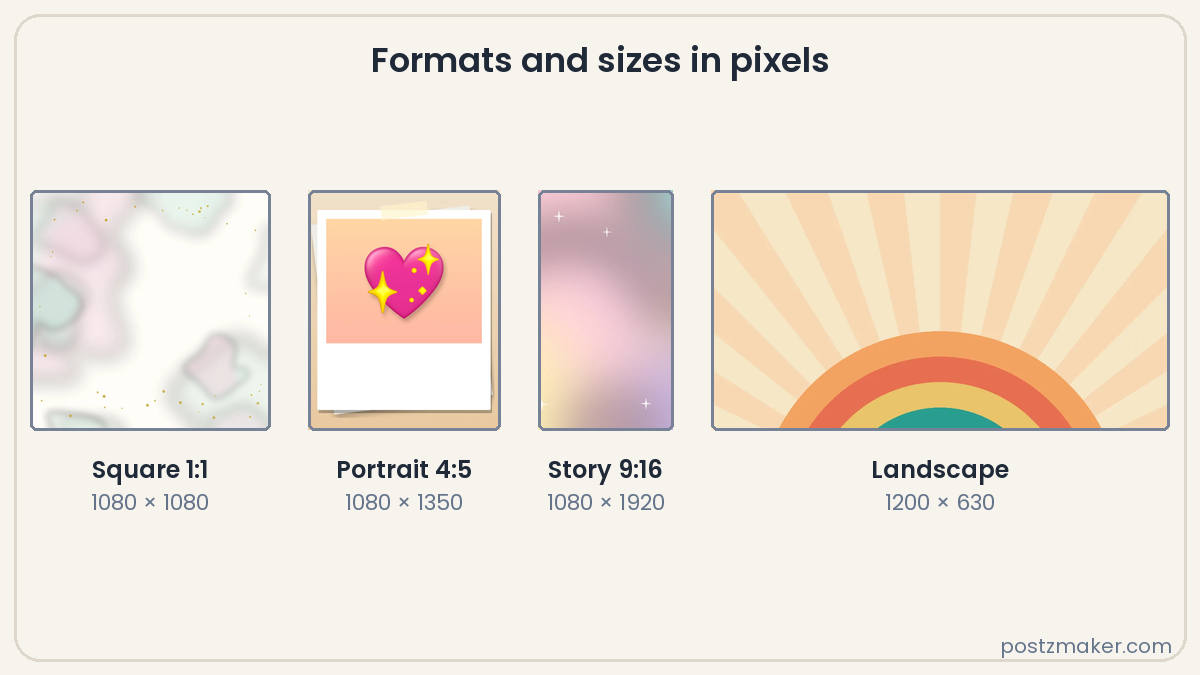
The quick editor offers two formats: Square and Status / Story. Square is the natural choice for chats and groups, because it shows in full in the conversation without being cropped.
Choose Status / Story when you want to post the greeting as your WhatsApp status, which stays visible for twenty-four hours to the contacts you have allowed to see it. The tall image fills the phone screen, with a blurred background above and below. The top and bottom edges are covered by the app’s interface, so keep your words toward the middle.
If you want to change more than a message and a name, the ‘Open in the full editor’ link carries your title, message and name over, and there you can move text, change the typeface or add your own photo. On a computer, ‘Send on WhatsApp’ downloads the image instead of sharing it, and you attach the file in WhatsApp Web.
Etiquette: when less is more
Not everyone enjoys a daily image, and that is fine. If someone has asked you to stop, or never answers, move them to an occasional greeting, such as birthdays and holidays. A kind message is only kind when the other person wants to receive it.
Be careful with forwards. A picture that arrives with a chain-message demand, such as ‘send to ten people or bad luck follows’, is more annoying than cheerful. The same goes for images stuffed with advertising or another website’s logo in the corner.
Do not let a morning picture replace real conversation. If a friend has been quiet or going through a hard time, a personal message with their name is worth far more than the prettiest sunrise. Use the picture as a door opener, and follow it with a sentence only you could write.
Finally, think about how a picture looks in a long group history. If yours is the fifth sunrise of the morning, a different style, such as Minimal or Coffee, will stand out and be read.
One picture, three different chats
The same background can speak in a different voice in each chat. In the family group, address the household (‘Good morning, team Rossi’) and keep the line warm and plain. With close friends, tease a little: a running joke is worth more than a sunrise. In a work chat, first check whether anyone else sends greetings. If nobody does, skip it; if people do, choose Minimal or Coffee and a line you would be comfortable having your manager read.
If you want to reach all three, make one version per chat instead of forwarding a single file everywhere. WhatsApp marks forwarded messages with a ‘Forwarded’ label, and a greeting that carries it looks like a chain letter. Changing the name and one word takes about ten seconds, and the recipient can tell the picture was made for them.
For people you greet every day, think in weeks rather than mornings. The guide on preparing a different image for each day of the week shows how to give Monday, Friday and Sunday their own moods, so the habit stays fresh without costing you a new idea every morning. And when a day is special, such as a birthday or an exam, drop the routine and make one picture just for that person.
Examples: short lines for a good morning image
- Good morning, Marta. Coffee first, worries later.
- Rise and shine! Today is a blank page.
- Morning, team Rossi. Be kind, drink water.
- Good morning, Grandma. Your garden is jealous of your smile.
- A new day, a fresh start. Go gently, go bravely.
- Good morning! Hope your toast lands butter side up.
- Wake up, little sun. The world is waiting for you.
- Morning, Dan. You have a big day, and you are ready.
- Good morning, crew. The week is ours to shape.
Try it now





Frequently asked questions
What size should a good morning image be for WhatsApp?
For chats and groups, a square image of 1080 by 1080 pixels is a safe choice: it appears in full inside the conversation. For your WhatsApp status, use the tall format of 1080 by 1920 pixels. The quick editor offers both as Square and Status / Story, so you only have to choose before you send or download.
Why does my good morning image look blurry in WhatsApp?
When you send an image as a photo, WhatsApp compresses it, and a forwarded copy can lose more each time. Large, simple letters survive this much better than thin or tiny ones. WhatsApp also has an HD option in the photo preview, which keeps more detail but still processes the image. For the untouched original, send the file as a document: tap the attach button, choose Document and pick the JPG.
Can I send the picture on something other than WhatsApp?
Yes. ‘Download’ saves an ordinary JPG file that any messaging app, email or social network accepts. Square works in most chats, and Status / Story fits the tall format used by stories. The ‘Send on WhatsApp’ button is built for WhatsApp, so for other apps it is simpler to download the file and attach it there.
Can I add my own name or a person’s name to the image?
Yes. The ‘Name or dedication (optional)’ field puts a name or a short dedication on the image. Use it for the person you are writing to or for a group name. If you want more control over where it sits, use the ‘Open in the full editor’ link.
Do I need an account or app to make these images?
No. Postzmaker works in the browser, on a phone or a computer, and there is no sign-up. By default a small ‘postzmaker.com’ line appears at the bottom right of the image; untick ‘Show postzmaker.com at the bottom’ if you prefer none. The images are free for personal messages and your social profiles.
What time is best if my relatives live in another country?
Pick the hour by their clock, not yours: roughly seven to nine in the morning where they live. Prepare the picture the evening before and send it by hand when their morning begins. If it is the middle of the night for them, wait. A notification can wake someone, and many people silence their phones at night anyway.
More guides
- How to Make a Greeting Card Online for Free
- How to Make a WhatsApp Status with Text and a Background
- How to Choose the Right Background, Colors and Font
- How to Write Original Greeting Messages That Sound Like You
- How to Prepare a Different Image for Each Day of the Week
- Birthday messages for every person on your list
- Christmas and New Year wishes: what to write, to whom and when
- Valentine’s Day messages that are not clichés
- Mother’s Day and Father’s Day: dates, messages and ideas
- Why WhatsApp images look blurry, and how to send them sharper
- Workplace greetings: coworkers, clients and your boss
- How to Make Images Everyone Can Read
- Plan Your Year of Greeting Posts, Month by Month
- What to Write for Weddings, New Babies and Graduations
- Writing to Someone Who Is Unwell or Going Through a Hard Time
- How Holidays Differ Between Italy, Spain and English-Speaking Countries
- The Full Editor, Step by Step