
Postzmaker guide
How to Prepare a Different Image for Each Day of the Week
A weekly rhythm turns random pictures into something people look forward to. Give each day a mood, prepare the set in one sitting and send it at a steady hour.
How to do it with Postzmaker
- Write the seven days on a note and give each one a mood.
- Open the page for each day, such as Happy Monday or Happy Friday.
- Pick one style per day, or keep the same style all week.
- Write a short message and, if you like, add the group’s name.
- Download each image as a JPG and rename the files by day.
- Send each one at the same hour every morning, using a phone alarm as a reminder.
Why a weekly rhythm works
A single image can be a pleasant surprise. A sequence becomes a ritual. When your family or friends know that Monday brings a coffee picture and Friday brings something silly, the picture starts to mean more than the picture: it marks the day. People begin to reply, to tease you when you are late and to send their own.
A rhythm is also easier on you. Deciding what to send every morning is tiring; deciding once, for the whole week, is not. You choose the mood of each day in advance, and the work becomes a ten-minute project on Sunday evening.
Finally, a rhythm prevents the most common problem with greeting images, which is sameness. If every day is a sunrise, the sunrise stops registering. A week with seven distinct moods keeps each image fresh without asking for extra creativity.
A series also teaches you about your audience. After two or three weeks you will see which days get replies and which are ignored, and you can adjust the moods accordingly. Some groups love Monday motivation, others prefer a joke.
A mood for each day
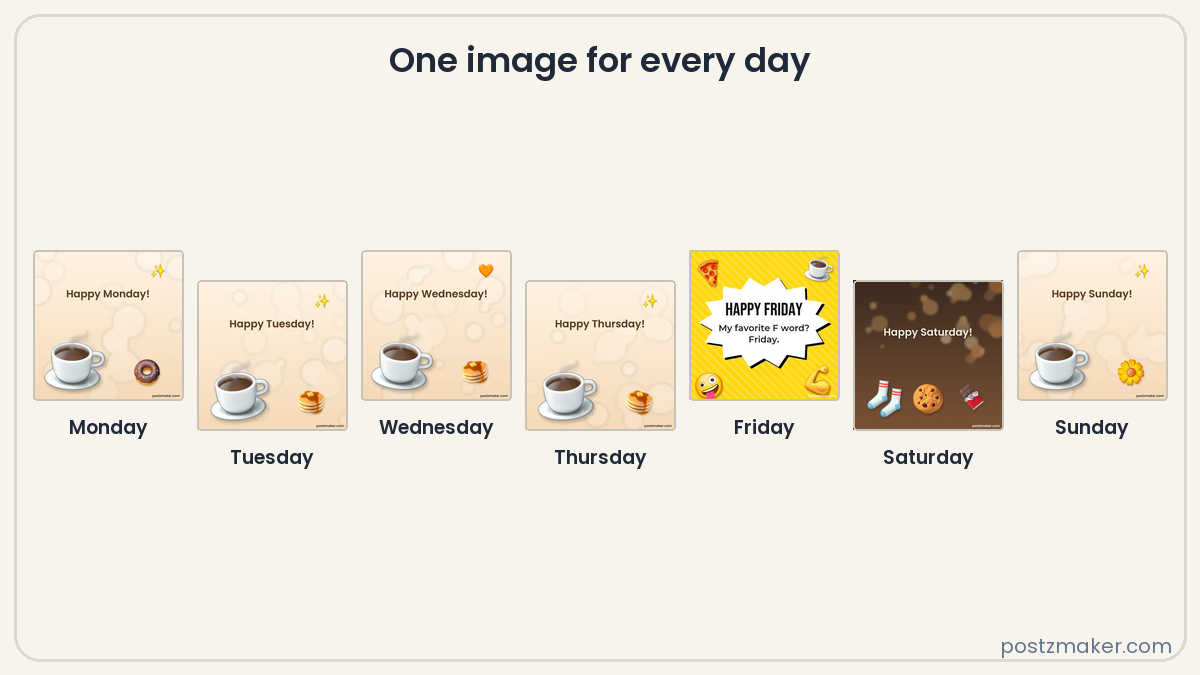
Monday is about starting. Think motivation, coffee and a gentle push: ‘New week, small steps’. Tuesday is the quiet one; a calm line about getting on with things, perhaps with a Flowers background. Wednesday is the midpoint, a good day for a light, funny line: ‘Midweek already. Breathe.’
Thursday is the day of almost: ‘One more push, the weekend is in sight.’ Friday is the party day, and the Neon, Cheers, Retro and Funny styles suit it. Saturday is for rest and fun, with Cozy, Sea or Gingham backgrounds. Sunday is for calm and family, with Coffee, Flowers or Watercolor.
You do not have to keep to this exactly. The point is that each day has its own mood and that the mood is easy to recognize. Adjust it to your group: a group of runners might make Saturday a long-run day, and a group of gardeners might make Wednesday a seed-swap day.
Keep the messages varied in length and tone across the week. Two serious days in a row feel heavy; a pun between them lifts the mood.
Choose the styles for the week
Postzmaker has a page for each weekday, with its own backgrounds and messages. Monday offers Coffee, Funny, Flowers, Sunrise, Minimal, Geometric and Retro. Friday offers Funny, Cheers, Flowers, Neon, Minimal, Retro and Geometric. Sunday offers Coffee, Flowers, Cozy, Nature, Watercolor, Gingham and Vintage.
Notice how the styles overlap. Minimal, Retro and Geometric appear on several days, which makes it easy to keep a family resemblance across the week: for instance, use Retro on Monday and Friday, with a different color each time. A thread of one style, with changing messages, looks designed rather than random.
If you prefer variety, change the style every day but keep the same position for the text and the same typeface. Then the week still looks like a series, with the images clearly related.
A small trick for the week is to alternate warm and cool backgrounds. If Monday is a warm coffee picture, make Tuesday a cooler Nature or Watercolor one. The contrast keeps the series from looking monotonous even when the layout stays the same.
Keep the look consistent
People recognize a series by its layout more than by its content. Place the title in the same spot, keep the name line in the same corner and use the same pair of typefaces all week. Then a new picture reads as ‘the Tuesday one’ before anyone reads a word.
In the quick editor, the layout is already consistent: title, message and name always appear in the same arrangement. If you want to go further, open the full editor and use the same typeface and colors for every day. You can also use the brand kit to add a small logo or mark, if you have one for a shop or a group.
Consistency is a gift to the reader, because it lets them concentrate on what is new: today’s message. Variety belongs in the colors and the words, not in where everything sits.
If your group likes repetition, you can even keep one background for the whole week and change only the title and the message. That is the quickest path to a consistent look, and it takes about five minutes.
Timing and rhythm
Pick an hour and keep it: sending at the same minute every day builds a habit on both sides. If your group spans time zones, choose an hour that is reasonable for the earliest riser and the latest.
Weekdays and weekends differ. On Saturday and Sunday, many people sleep later, so a greeting at ten or eleven is kinder than one at seven. Friday images work well in the afternoon, when the week is winding down, and Sunday images can come in the evening as a calm closing.
Do not feel obliged to send every day. Five days a week, or three, is perfectly good. The best rhythm is the one you can keep for months without it becoming a chore. If you miss a day, skip it quietly rather than sending two pictures later.
A word on the end of the week: Saturday and Sunday are the days when people are most open to something warm and unhurried, so a longer, more personal line is welcome there. Keep the Monday line short, because people are in a hurry.
Prepare the whole week in ten minutes
Choose a fixed slot, for example Sunday evening. Open the day pages one after another. For each, pick the background, write the message, add the name and press ‘Download’. Rename the files with the day: 1-monday, 2-tuesday and so on, so they sort correctly in your gallery.
Make a small folder or album on your phone for the week. When the morning comes, you only need to open it, pick the right file and send. The pictures are ordinary files and can be sent at any time, so a simple phone alarm is all the scheduling you need.
If you want to reuse a favorite, save a draft in the full editor. Drafts live in your browser on that device, so keep a copy of the finished files as well. There is no account, so nothing follows you to a new phone.
A simple extra is to keep a notes file with the seven messages. When you want to reuse them next month with a different background, you only need to copy and paste.
Keep it fresh over time
After a few weeks, rotate. Keep the moods, change the backgrounds. Monday can stay a coffee day, but with a Gradient background this month and a Sunrise next month. Change one thing at a time so the ritual keeps its identity.
Mix in other formats. A voice note on Wednesday, a real photo on Thursday, a plain text on Tuesday. If your group shares a hobby, add an image about it on one day, for instance a gardening message every Saturday.
Listen to the group. If replies drop, shorten the week or change the day. If someone starts to answer with their own pictures, make room: swap days with them or invite them to make the Friday one. A ritual that people share lasts longer than one that only you maintain.
Special days break the pattern
Some days deserve their own image. A birthday, a name day, a holiday or a big exam will always beat the weekly theme, so be ready to skip the usual picture. Postzmaker has pages for these occasions, with their own messages and styles.
A good habit is to check the calendar when you prepare the week. If Wednesday is a friend’s birthday, replace the midweek image with a birthday one and mention the name. If Friday is a public holiday, change the tone: a rest day is not the same as a party day.
After the special day, return to the weekly rhythm. The contrast makes the series feel alive, and the person whose day it was will remember that you broke the pattern for them.
Do the same for the end of the year, when the pattern is already interrupted by Christmas, New Year’s Eve and family gatherings. Skip a week if you need to; a ritual that pauses and comes back feels natural.
Example: a full week of short lines
- Monday: Small steps, big week.
- Tuesday: Quietly getting things done.
- Wednesday: Halfway there. Proud of you.
- Thursday: One more push, then freedom.
- Friday: Close the laptop. The weekend is calling.
- Saturday: Slow breakfast, loud laughter.
- Sunday: Nowhere to be. Nothing to prove.
- Bonus, holiday Monday: The alarm can take the day off too.
Try it now
 ☕ Happy Monday images to personalize and send42 images
 🌻 Happy Wednesday images to personalize and send42 images
 🥂 Happy Friday images to send before the weekend42 images
 🏖️ Happy Saturday images for a good first day off42 images
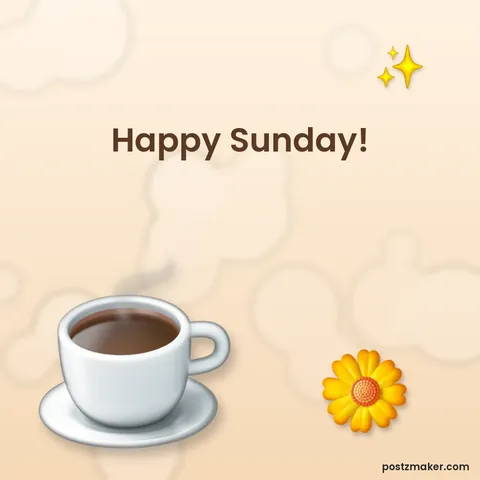 💐 Happy Sunday images for a slow, kind day42 images
 🎉 Happy weekend images to send to everyone42 images
Frequently asked questions
How many images should I send in a week?
There is no fixed rule. Five days is a nice rhythm for a friend or family group, and three is often enough for a large one. Choose a number you can keep up for months. If replies begin to fade, send fewer, or alternate pictures with a voice note or a plain text greeting.
Should weekend images be different from weekday ones?
A little, yes. Weekends are slower, so send later, around ten or eleven, and choose calmer styles such as Cozy, Sea or Gingham for Saturday and Coffee or Watercolor for Sunday. A weekend line can be longer and more personal. Keep the weekday ones short, because people are in a hurry.
Can I prepare all seven images in advance?
Yes. Make them in one session, download each image and name the files by day so they sort correctly in your gallery. Then you only need to open the folder each morning and send the right file.
Does every day need a different style?
No. A good series uses a consistent layout and changes the colors, background and words. You can use the same style on several days, with different messages, or change the style daily while keeping the typeface and text position. Choose whichever looks more like a family of images.
How do I keep a weekly series from becoming boring?
Rotate the backgrounds every month while keeping the daily moods, add the occasional voice note or photo, and break the pattern for special days. Listen to the group: if people reply less, shorten the week or invite someone else to make an image for a day.
Can I make these images for a shop or a club page?
Yes. You can use the images on your social profiles, including pages for a shop, a club or a creator account. Keep the layout consistent, use the full editor if you want the same typeface every day, and remember that the images may not be resold or redistributed as a collection.
More guides
- How to Make Good Morning Images for WhatsApp
- How to Make a Greeting Card Online for Free
- How to Make a WhatsApp Status with Text and a Background
- How to Choose the Right Background, Colors and Font
- How to Write Original Greeting Messages That Sound Like You
- Birthday messages for every person on your list
- Christmas and New Year wishes: what to write, to whom and when
- Valentine’s Day messages that are not clichés
- Mother’s Day and Father’s Day: dates, messages and ideas
- Why WhatsApp images look blurry, and how to send them sharper
- Workplace greetings: coworkers, clients and your boss
- How to Make Images Everyone Can Read
- Plan Your Year of Greeting Posts, Month by Month
- What to Write for Weddings, New Babies and Graduations
- Writing to Someone Who Is Unwell or Going Through a Hard Time
- How Holidays Differ Between Italy, Spain and English-Speaking Countries
- The Full Editor, Step by Step